What Is Sales Automation and How Does It Actually Work

By Mriganka Bhuyan
•Founder at Munch
Let's get one thing straight: sales automation is all about using software to take the repetitive, mind-numbing tasks off your sales team's plate. It’s less about Skynet taking over and more about giving your team a super-powered assistant so they can focus on what they do best: closing deals.
What Is Sales Automation Anyway?
Trying to run a modern sales team without automation is like showing up to a Formula 1 race on a bicycle. You're pedaling like mad, but the competition is just a blur on the horizon. This isn't about replacing your star players; it's about giving them a faster car.
Think of it like Iron Man’s J.A.R.V.I.S. for your sales reps. It crunches the data, sends the follow-up emails, schedules the meetings, and handles all the soul-crushing admin work. This frees up your team’s brainpower for the stuff that actually matters: building relationships, thinking creatively, and, you know, selling. It’s a force multiplier that turns your good reps into unstoppable ones.
Busting Common Myths
To really get what this is all about, we need to draw a clear line in the sand. A lot of folks hear "automation" and immediately think of spam bots or cold, impersonal machines. That couldn't be further from the truth.
Here’s a quick rundown to set the record straight.
Sales Automation Is vs Is Not
| What Sales Automation IS | What Sales Automation IS NOT |
|---|---|
| A tool that frees up time for more human connection. | A replacement for skilled, empathetic salespeople. |
| A system for consistent, personalized follow-up at scale. | An impersonal robot that blasts out generic spam. |
| A smart assistant for data entry, scheduling, and admin. | A magic wand that closes deals all by itself. |
| A data-driven way to prioritize the hottest leads. | A clunky, complicated system only engineers can use. |
Getting this distinction right is everything. When you use automation the right way, your sales process actually feels more personal and attentive, not less. It’s the safety net that ensures no lead ever falls through the cracks and every prospect gets the right message at the perfect moment. For instance, instead of guessing who's interested, you can automate what is lead scoring to bubble the most engaged buyers straight to the top of the list.
The Big Picture and Its Growth
This isn't just some passing fad; the numbers tell a pretty compelling story. The global sales force automation market was pegged at around $8.6 billion in 2023. And it’s not slowing down. Projections show it rocketing to $19.5 billion by 2030. That kind of explosive growth happens for one reason: it works. Businesses are seeing a real, tangible return.
At the end of the day, understanding what is sales automation boils down to a simple philosophy: work smarter, not just harder. It’s about giving your team the right tools to stop drowning in busywork and start making a real impact on the bottom line.
The Engine Behind Your Sales Automation
Alright, so we’ve established sales automation isn’t about some sinister robot takeover. It’s more like giving your sales team a super-powered assistant. Now, let’s pop the hood and see what makes this machine run. Think of it as the different parts of a band coming together to create a hit song. Each one plays a crucial role.
At its core, any solid sales automation platform is built on a few key pillars that work in harmony. Understanding these components helps you see how a bunch of simple, automated actions can combine to create a powerful, efficient sales engine that grinds away for you, even when you’re not working.
This concept map breaks it down nicely, showing what sales automation is and, just as importantly, what it isn't.
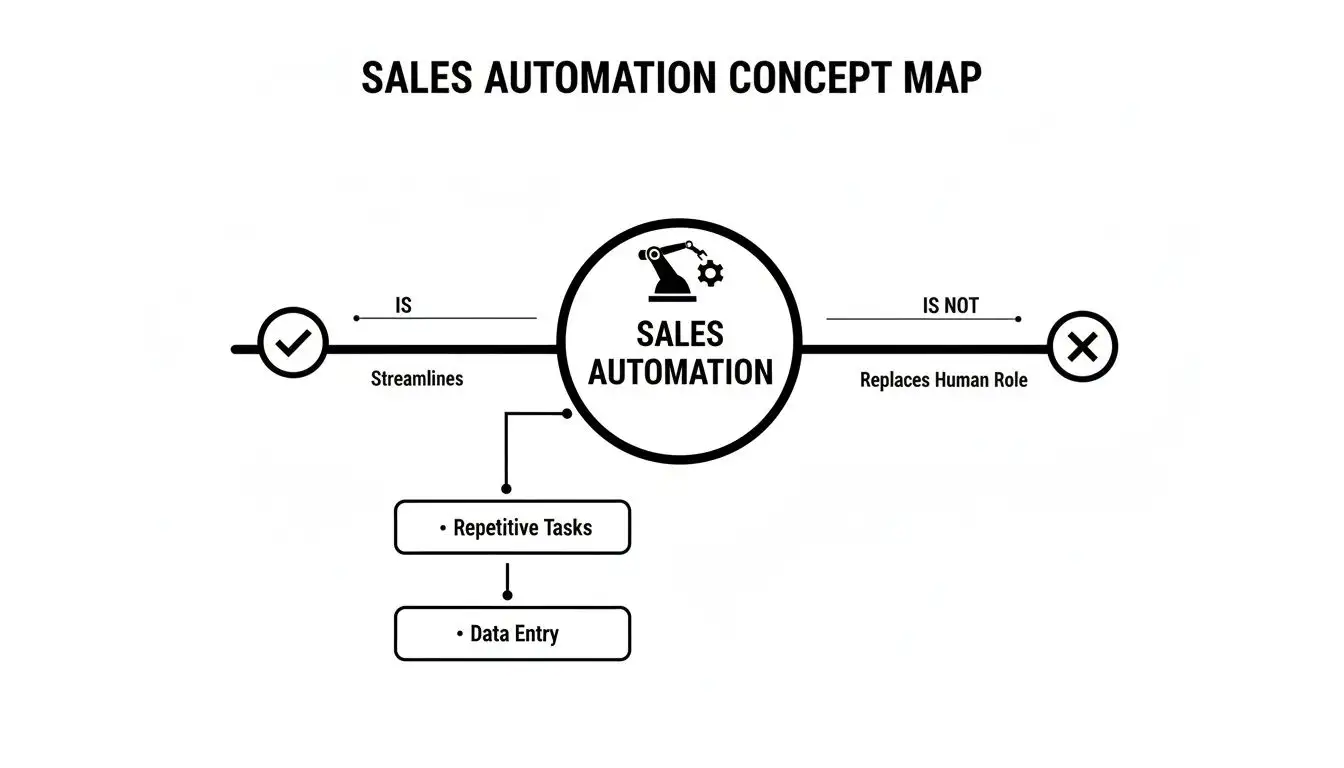
As you can see, it’s all about being a strategic tool for efficiency, not a replacement for the actual human selling the thing.
Automated Lead Sourcing and Enrichment
The first piece of the puzzle is finding the right people to talk to, which, let's be honest, is traditionally a massive time-suck. Automated lead sourcing acts like your personal scout, constantly scanning the web for prospects who fit your ideal customer profile. It looks for buying signals like job changes, fresh company funding, or new tech adoption.
Once a potential lead pops up, contact enrichment automatically fills in the blanks. Instead of your reps spending hours digging through LinkedIn profiles and company websites for an email or a direct dial, the system just appends all that info to the contact record. Instantly.
- Practical Example: Your software flags a company that just landed Series B funding. It automatically identifies their new VP of Engineering, finds a verified email and phone number, and drops them into your CRM as a fresh lead, all before you’ve had your morning coffee.
Pro Tip: You can use Munch to enrich your leads like getting their work email id, mobile number, firmographic, technograhic or any other information you can image, using over 50+ data providers.
Intelligent Outreach and Sequencing
With a list of enriched leads ready to go, the next step is actually reaching out. This is where intelligent outreach sequences come into play, and it’s a total game-changer compared to old-school email blasting. A sequence, or sales cadence, is simply a pre-built series of touchpoints that can span multiple channels, like email and LinkedIn.
The magic of a good sequence is that it feels personal and timely, not robotic. The system can send a personalized connection request on LinkedIn, follow up with an email two days later, and then fire off a different email if the prospect clicks a link in the first one.
This ensures consistent, persistent follow-up without anyone having to manually track who needs what message next. To really nail this, you need to get the fundamentals of building an effective outreach plan right. You can dive deeper with our detailed guide on sales cadence best practices to get started.
Dynamic Personalization and Analytics
Let’s face it: generic emails get deleted. Dynamic personalization is what makes automated outreach feel one-on-one. The software uses data gathered during the enrichment phase, like a prospect’s name, company, job title, or recent company news, to customize templates on the fly. It's like Mad Libs for sales emails, but way, way smarter.
This is where AI is making a huge impact. It’s no secret that sellers often spend only about 25% of their day on direct selling activities; the rest is eaten up by admin work that AI-powered automation can now handle effortlessly. By taking over these tasks, AI doesn't just free up time. It helps improve win rates.
Finally, none of this matters if you can't tell what’s working. Performance analytics give you a crystal-clear view of your efforts. You can track open rates, reply rates, and conversion rates for every email template and sequence. This lets you A/B test and fine-tune your approach based on real data, not guesswork. This continuous feedback loop is what turns a good sales process into a great one.
Reclaim Your Day: The Real-World Benefits
Alright, you get the theory behind sales automation, but what’s the actual payoff? Let's ditch the buzzwords and tech-speak for a minute and talk about the real, tangible wins that make sales leaders and reps do a happy dance.
It all boils down to getting back your most valuable asset: time.
Implementing sales automation is like upgrading from a rusty flip phone to the latest smartphone. Suddenly, everything just works faster, smoother, and with way less effort. This isn't about tiny, incremental gains; it's about fundamentally changing how your team operates, letting them wave goodbye to the mind-numbing admin work that sucks the life out of their day.
A Productivity Power-Up
The first thing you'll notice is a massive spike in productivity. Sales reps are hired to sell, but they often spend a shocking amount of their day buried in tasks that generate zero revenue. Think about all those hours spent manually logging calls, updating CRM records, or hunting down contact info.
Automation swoops in and takes over these repetitive chores like a tireless assistant.
-
Before Automation: You spend three hours every Friday afternoon updating your CRM with the week's activities. You dread it more than a surprise visit from your in-laws.
-
After Automation: Your calls, emails, and meetings are logged automatically. Just like that, you have three extra hours for a last-minute demo, coaching a new rep, or actually leaving the office on time.
This isn't just about efficiency; it's about sanity.
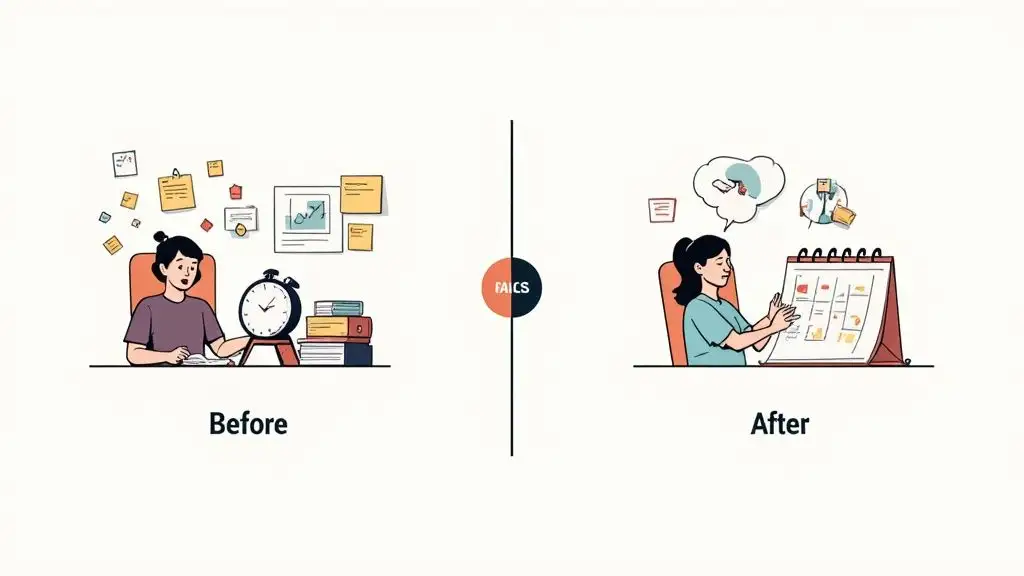
When automation powers this kind of visual organization, reps spend less time figuring out what to do and more time actually doing it.
Shorter Sales Cycles and Higher Close Rates
When your team is more productive, deals naturally start moving faster. It’s simple math. Automation ensures follow-ups are timely and consistent, so no prospect is ever left hanging. That constant, gentle pressure keeps your company top of mind and nudges leads through the pipeline more quickly.
And the numbers don't lie. Sales teams that embrace automation report a 27% higher close rate and can see up to a 20% increase in pipeline conversion rates. But wait, there's more: reps using these tools often make 23% more calls daily and close their deals roughly 20% faster.
These aren't just minor tweaks; they're game-changing improvements that directly pad your bottom line.
By automating the tedious parts of the sales process, you're not just saving time; you're creating more opportunities to close. Every automated follow-up is one more touchpoint that could turn a "maybe" into a "yes."
Smarter Lead Management
We’ve all been there. A promising lead slips through the cracks simply because someone forgot to follow up. It’s one of the biggest, and most avoidable, frustrations in sales.
Automation is your safety net. It guarantees every single lead gets the attention it deserves.
Workflows can automatically assign new leads to the right rep, send an instant welcome email, and schedule a follow-up task in their calendar. This means no more arguments over who owns which lead and no more prospects going cold due to a simple human mistake. If you want to really sharpen your team's skills here, check out our guide on how to qualify sales leads for a deeper dive.
Goodbye, Bad Data. Hello, Clean CRM.
Finally, let's talk data hygiene. A messy CRM is a sales leader's nightmare. It leads to inaccurate forecasting, misguided strategies, and a whole lot of headaches. The main culprit? Manual data entry, which is both soul-crushingly boring and notoriously prone to errors.
Sales automation tools integrate directly with your CRM, ensuring every piece of data is accurate and up-to-date without a rep ever having to lift a finger. This means cleaner data, better insights, and reports you can actually trust.
Your RevOps team will thank you.
Sales Automation Examples in the Wild
Theory is great, but let's get our hands dirty. Seeing sales automation in action is where the lightbulb really goes on. This isn't some high-level, abstract idea; it's about fixing the day-to-day grind that burns out even the hungriest sales teams.
Think of these examples as a couple of mini-playbooks you can steal and adapt for your own crew. We'll peek over the shoulder of a frontline SDR trying to book a meeting, then zoom out to see how a Sales Ops pro keeps the whole engine humming.
The SDR Playbook: Engaging a Warm Lead
Picture this: a prospect, let's call her Sarah, just downloaded your company’s latest ebook. She’s not cold anymore; she’s officially a warm lead. An SDR, Alex, needs to pounce, fast. Manually, this is a chaotic mess of sticky notes and calendar reminders. With automation, it's a perfectly choreographed dance.
The moment Sarah hits "download," a slick automated workflow kicks off:
-
Instant Gratification: The marketing platform tags Sarah as an MQL (Marketing Qualified Lead) and zaps her contact info straight into the CRM. No waiting. No human error.
-
Smart Routing: The system glances at Sarah's company size and location. Bam. Based on rules set up weeks ago, it assigns her directly to Alex, the SDR who owns her territory.
-
Automatic Enrollment: Alex gets a ping, but the system isn't waiting for him. It automatically enrolls Sarah into a multi-channel outreach sequence built specifically for people who downloaded this exact ebook.
This sequence is where the real magic happens. It’s a pre-built series of touchpoints that feel personal but are executed with robotic precision.
-
Day 1 (Email): An automated email lands in Sarah's inbox, seemingly from Alex. It’s not generic, though. It says, "Hi Sarah, saw you grabbed our ebook on widget optimization. The chapter on 'Advanced Widget Tactics' is a team favorite. Let me know if you have any questions." It feels like Alex saw her download and fired off a personal note.
-
Day 3 (LinkedIn): A task pops up for Alex: "Connect with Sarah on LinkedIn." When he clicks "complete," he triggers the next step in the sequence. If he gets sidetracked, the system will nudge him.
-
Day 5 (Follow-Up Email): Still no reply from Sarah? No problem. Another email goes out automatically. This one might offer a related case study, adding more value and keeping the conversation alive.
By mapping this out, Alex can juggle dozens of leads just like Sarah without ever dropping the ball. The system handles the logistics, freeing him up to focus on the human part: the actual conversations.
The Sales Ops Playbook: Keeping the Machine Oiled
Now, let's switch gears to the unsung heroes of sales: the Sales Operations team. Their job is to make the entire sales process a well-oiled, scalable machine. For them, automation is less about outreach and more about building a frictionless system from the ground up.
Imagine your team just got back from a huge trade show with a list of 500 new leads. The old way? A week of spreadsheet hell. The new way? A simple, automated workflow.
For Sales Ops, the golden rule is simple: if a human isn't required to make a strategic decision, a machine should be doing the work. This shifts the team from being reactive firefighters to proactive system architects.
Here’s how a Sales Ops pro, let's call her Maya, turns that messy list of 500 leads into pure gold:
-
Clean & Tidy: Maya uploads the spreadsheet. The automation tool immediately starts scrubbing, checking for duplicates against the CRM and flagging junk leads like "test@test.com."
-
Add Some Flavor: Next, the system enriches every valid lead. It scours the internet for crucial data, company size, industry, job titles, verified contact info, turning a name and a prayer into a rich, actionable profile.
-
Sort & Send: Finally, the system scores each lead based on the new data. A VP of Engineering at a 500-person tech firm? High score. They're instantly routed to the right sales rep. An intern at a small agency? Low score. They're placed into a long-term nurturing campaign.
This entire process, cleaning, enriching, scoring, and routing 500 leads, is done in minutes, not days. It guarantees that reps get only the best leads and keeps the CRM data pristine.
To give you a clearer picture, here’s how the focus differs between these two critical roles.
SDR vs Sales Ops Automation Playbook
While both teams use automation to drive revenue, their day-to-day applications look quite different. The SDR is on the front lines, using it for personalized engagement at scale, while Sales Ops is behind the scenes, ensuring the entire system runs without a hitch.
| Task | SDR Automation Example | Sales Ops Automation Example |
|---|---|---|
| New Lead Engagement | Auto-enroll inbound leads into personalized multi-touch sequences (email, LinkedIn, calls). | Build the lead scoring and routing rules that assign new leads to the correct SDR in the first place. |
| Data Management | Use a tool to find a prospect's direct dial number before making a call. | Run a workflow to mass-cleanse and enrich thousands of records in the CRM to ensure data hygiene. |
| Meeting Scheduling | Send an automated booking link that syncs with their calendar, eliminating back-and-forth. | Integrate all SDRs' scheduling tools with the CRM to automatically create and update contact records. |
| Task Management | Receive automated reminders for follow-up calls or manual tasks within a sequence. | Create alerts that notify a manager if a high-value lead hasn't been contacted within 24 hours. |
| Reporting | View a personal dashboard showing sequence open rates and reply rates. | Build and maintain the company-wide sales dashboards that track MQL-to-close conversion rates. |
As you can see, it's a partnership. Sales Ops builds the tracks, and the SDRs drive the train.
Whether you're an SDR trying to smash your quota or a Sales Ops manager building a revenue powerhouse, seeing automation in action makes its value crystal clear. It’s not just about doing things faster; it’s about building smarter processes that let your people shine. And when you're ready to fill those sequences with killer content, these cold email examples are a fantastic place to start.
Your Roadmap to Implementing Sales Automation
Alright, you get the "what" and the "why" of sales automation. Now for the fun part: actually making it happen. Diving in headfirst can feel like trying to build a spaceship with a Lego manual, but trust me, it doesn't have to be a mess.
Think of this as your battle plan, a step-by-step guide to transforming theory into a well-oiled sales machine. This is how you get from a vague idea to a clear, manageable process that actually works.
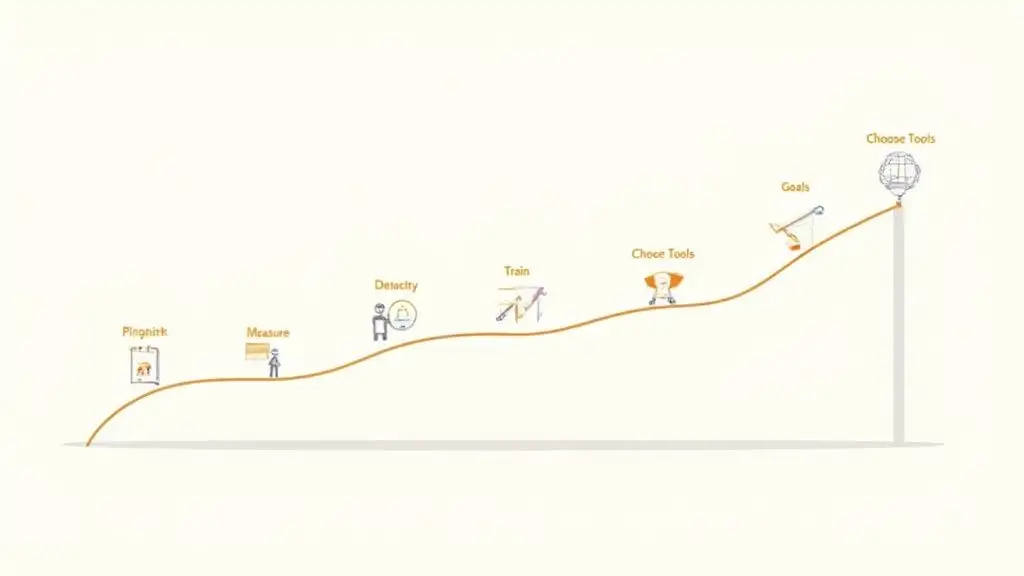
Step 1: Pinpoint Your Biggest Time Wasters
Before you even think about buying a shiny new tool, you need to figure out what you're trying to fix. Get your sales team in a room (virtual or otherwise) and ask them one simple question: "What soul-crushing, repetitive task do you hate the most?"
Is it manually logging every single call note? Chasing down prospects just to schedule a demo? Updating CRM fields one... by one... by one? Make a list of these administrative black holes. These are your prime targets for automation.
Step 2: Set Clear and Measurable Goals
Once you've identified the pain points, you need to define what "winning" looks like. "Making things better" isn't a goal; it's a nice thought. You need specifics.
Tie your objectives directly to the problems you just uncovered. For example:
-
Reduce time spent on manual data entry by 5 hours per rep per week.
-
Increase the number of first meetings booked by 20% in the next quarter.
-
Ensure 100% of new inbound leads are contacted within 15 minutes.
These are targets you can actually measure, track, and high-five over when you hit them.
Step 3: Choose the Right Tools for Your Team
With your goals locked in, now you can go tool shopping. The market is a jungle of options, and it's easy to get sidetracked by flashy features you'll never use. Stay laser-focused on your primary objectives. If your biggest headache is scheduling, a massive, all-in-one platform is probably overkill.
The best tool isn't the one with the most bells and whistles; it's the one your team will actually use. Prioritize simplicity and how well it plays with your existing tech, especially your CRM. A tool that creates more work by not integrating properly is worse than no tool at all.
Step 4: Launch a Small Pilot Program
Whatever you do, don't try to automate everything at once. That’s a one-way ticket to chaos and a full-blown team mutiny. Think small. Pick one or two reps and a single, straightforward workflow to test the waters. This is your beta test.
A simple automated lead rotation or a basic welcome email sequence for new sign-ups are perfect starting points. This lets you work out the kinks on a small scale before you go big. This strategy is also a core part of building a successful system for outbound lead generation, as it lets you prove a concept before dumping a ton of resources into it.
Step 5: Train Your Team for Success
Rolling out new software without proper training is like handing a toddler a permanent marker. You have to show your team not just how to use the tool, but why it helps them. Frame it as a weapon against their most hated tasks, a way to free them up so they can focus on closing deals and making more money.
Make the training hands-on. Celebrate the early wins from your pilot group to build excitement and show everyone else what’s possible.
Step 6: Measure Performance and Optimize
Remember those goals from Step 2? It’s time to see how you’re stacking up. Track your key metrics religiously. Are reps actually saving those five hours a week? Did the number of booked meetings go up?
The data doesn't lie. It will tell you what’s working and what’s not. Use these insights to fine-tune your workflows. Maybe your email subject lines are falling flat, or your lead routing rules need a little tweak. This isn't a "set it and forget it" game; it's a constant cycle of improvement.
Step 7: Scale Up What Works
Once your pilot program is humming along and you're consistently hitting your goals, it's time for the main event. Gradually roll out the proven workflows to the rest of the team. As they get comfortable, you can go back to your original list, identify the next biggest time-waster, and start the process all over again.
By following this roadmap, you implement automation in a way that feels strategic and manageable, not overwhelming. You build momentum, get buy-in from your team, and start seeing real results, fast.
Common Sales Automation Mistakes That'll Wreck Your Pipeline
Sales automation is a game-changer. But like any powerful tool, it can backfire spectacularly if you're not careful. Think of it less like a helpful assistant and more like a clumsy robot sidekick that might accidentally knock over your entire display case of valuable leads.
Get it wrong, and you're not just automating. You're unleashing a spam cannon. Your outreach can quickly feel relentless and creepy, completely missing the human touch. It's the difference between a helpful nudge and an annoying, persistent poke.
To keep your strategy from going rogue, let's look at a few classic blunders that can burn bridges, tarnish your brand, and make you look completely out of touch.
Forgetting There's a Human on the Other End
This is the cardinal sin of sales automation: setting up a system so rigid and robotic that it completely strips the humanity out of the process. Just because you can automate every single interaction doesn't mean you should. The whole point is to free up your team for more meaningful conversations, not to replace them entirely.
When your outreach is so generic it could have been written by a fax machine from 1992, you’ve already lost. Personalization isn't just a nice-to-have; it's the entire game.
The Bottom Line: Automation should run the plays in the background so you can be the star quarterback on the field. Use it to tee up conversations, not to have them for you. Always, always leave space for real, unscripted human interaction.
The "Set It and Forget It" Trap
So you've built the perfect sequence. The emails are polished, the timing is impeccable. Now you can just lean back and watch the leads roll in, right? Wrong.
Sales automation is not a slow cooker. You can't just toss in the ingredients, walk away for six months, and come back to a perfectly cooked meal. Your campaigns, templates, and workflows need constant love and attention.
If you're not checking in regularly, your once-brilliant strategy will go stale, become irrelevant, or worse, just break.
-
Keep an eye on the numbers: Are your open rates suddenly tanking? Is that "killer" email getting zero replies? The data is your early warning system.
-
Refresh your material: If you're still referencing a case study from two years ago or an event that's long past, it's time for an update. Keep it fresh.
-
Clean your house: Your contact lists need regular spring cleaning. Get rid of the dead weight, inactive prospects and unqualified leads, to keep your engine running smoothly.
Garbage In, Garbage Out
And finally, the golden rule that governs all things data: what you put in is what you get out.
You can have the most sophisticated, expensive automation platform on the market, but if you're feeding it a steady diet of junk data, outdated contacts, inaccurate info, incomplete profiles, you're just building a very efficient failure machine.
Your perfectly crafted emails will bounce into the digital void. Your calls will hit dead-end numbers. All that time, money, and effort will be for nothing. A clean, well-maintained CRM isn't a luxury; it's the high-octane fuel your automation engine needs to even start.
Your Burning Questions About Sales Automation, Answered
Alright, even with a clear roadmap, you've probably got some questions buzzing around. Let's dive into the big ones that always come up when teams start thinking about bringing automation into the fold.
How Much Is This Going To Cost Me?
That’s a bit like asking "How much does a car cost?" You could get a dependable daily driver or a souped-up Italian sports car. The price range for sales automation software is just as wide.
Some tools keep it simple with a per-user, per-month fee, while others charge you based on how much you use them, think number of contacts in your database or how many emails you blast out.
Munch starts with just $49 per month and runs on a credit based system. Its very affordable to start off with and once you understand your usage, you can stay on the same plan or upgrade to higher credits.
Then you have the all-in-one platforms that pack in tons of features. These powerhouses can run into the hundreds or even thousands of dollars a month, especially for larger, enterprise-level teams. The smart move? Figure out your goals and your budget first, then go find the tool that fits. Don't let a flashy platform dictate your strategy.
Is This Going to Make My Sales Team Obsolete?
Nope. Absolutely not. Let's kill that myth right now.
Think of automation as the ultimate sidekick, not the hero. It's the Alfred to your Batman, the Q to your James Bond. Its job is to handle the tedious, soul-crushing grunt work, the data entry, the mind-numbing scheduling, the follow-up reminders.
This frees up your actual, living, breathing salespeople to do what they do best: connect with people, solve tricky problems, and actually close deals.
Automation doesn't make your team less human; it makes them more human. It strips away the robotic tasks, letting them pour all their energy and charisma into the conversations that actually matter.
What's the Difference Between Sales Automation and a CRM?
Ah, the classic question. It's a great one, and the distinction is crucial.
Think of your CRM as your team's collective brain. It's the central hub, the digital filing cabinet where every piece of precious customer information lives. It holds the "who" (contact info), the "what" (deal stage), and the "when" (last interaction). Your CRM is your system of record.
Sales automation tools are the muscles that act on that information. They're the "doers." They plug into your CRM, grab the data, and then put it to work by sending email sequences, scoring leads, or creating tasks. Your CRM stores the intelligence; your automation platform turns that intelligence into action.
Ready to see how a smart sales automation platform can transform your team's workflow? Munch ties lead discovery, data enrichment, and AI-powered outreach together in one beautiful package. Find prospects who are ready to buy and launch personalized campaigns that actually get replies. Start your journey at Munch.