How to Create Workflows That Actually Work

By Mriganka Bhuyan
•Founder at Munch
Alright, let's ditch the robotic fluff and talk like real sales pros. Building an outbound machine that actually prints money isn't about magic; it's about a smart, repeatable system.
Let's break down how we're going to build your unstoppable sales workflow.
Your Blueprint for Building Sales Workflows That Actually Work
Forget the boring theory. We're rolling up our sleeves to build a well-oiled machine that finds and engages your ideal customers on autopilot. Think of this guide as the instruction manual for a system that consistently delivers qualified leads.
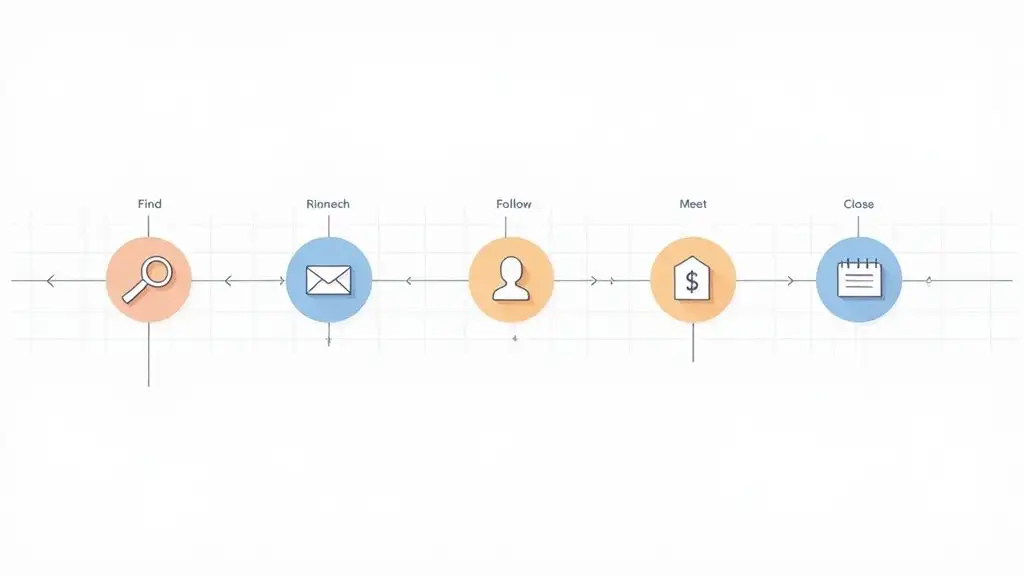
A killer sales workflow is so much more than just a sequence of automated emails. It's a strategic system. It covers everything from spotting the perfect prospect to knowing the exact moment to slide into their inbox for maximum impact.
So, What's the Secret Sauce?
The difference between a workflow that works and one that just creates noise comes down to one thing: intelligent automation.
It’s the difference between spamming 1,000 random contacts and hoping something sticks, versus sending a ridiculously relevant message to 100 people who are genuinely happy to hear from you. The goal is a repeatable process that still feels personal and timely.
This isn't just a hunch; the numbers back it up. The global workflow automation market was valued at a whopping USD 19.76 billion in 2023 and is on track to more than double to USD 45.49 billion by 2032. Companies are scrambling to get more efficient, with 31% of businesses globally having already automated at least one core function. You can dig into the data yourself in this comprehensive market report.
A great workflow doesn't just save you time. It multiplies your effort. It makes sure every single action is precise, targeted, and has the best possible chance of getting a reply. It’s the definition of working smarter.
To get there, we're going to focus on the essential pillars that hold up any high-performing outbound engine. I've put together a quick table to show you exactly what we'll be building.
Core Components of a High-Performing Sales Workflow
| Component | What It Is | Why It's Critical |
|---|---|---|
| Ideal Customer Profile (ICP) | A crystal-clear definition of the company that gets massive value from your solution. | Stops you from wasting time on prospects who will never buy. |
| Trigger Events | The specific signals (like hiring, funding, or new tech) that mean a company needs you right now. | Turns cold outreach into warm, timely conversations. |
| Data Enrichment | The process of cleaning your contact lists and adding key details (like direct dials and tech stack). | Prevents your emails from bouncing and gives you personalization ammo. |
| Multi-Channel Sequencing | A strategic mix of emails, LinkedIn touches, and maybe even calls to build a real conversation. | Grabs attention in a crowded market where email alone isn't enough. |
| Continuous Optimization | Using real data to constantly test and improve your messaging, timing, and strategy. | Turns good results into a predictable, scalable revenue machine. |
Each of these components is a critical gear in the system. When they all work together, you get a powerful workflow that becomes the cornerstone of your sales automation process.
Before we dive into the nitty-gritty of each step, this quick overview gives you the full picture of the journey ahead.
Let’s get to it.
Pinpointing Your Ideal Customer and Key Triggers
Before you even think about building slick, automated sales workflows, you have to answer one question with brutal honesty: who are you actually talking to?
If your answer is a vague, "uh, companies that need our stuff," stop right there. You're already losing. That’s like saying your favorite movie is "one with actors in it."
This is where we get serious and craft an Ideal Customer Profile (ICP). This isn't just some fluffy document you create once and then bury in a Google Drive folder. Your ICP is your North Star. It's your targeting system. It's the Sorting Hat that tells you which prospects belong in "Will Actually Buy" versus "Will Ghost You Forever."
Beyond the Basic Demographics
Look, most people get the basics right and then call it a day. They nail the firmographics: the high-level stats about a company. They’re a good starting point, but they're just the opening scene of the movie.
-
Industry: SaaS, Manufacturing, Healthcare, etc.
-
Company Size: 50-200 employees.
-
Geography: North America.
This is fine, but it’s not enough to build a workflow that actually gets replies. It’s like trying to find your soulmate based only on their height and hair color. To truly understand who will get massive value from what you're selling, you have to dig way deeper.
The Real Intel: Technographics and Psychographics
This is where you separate the casual window shoppers from the people ready to throw their credit card at you. To build a workflow that feels personal and hits the mark, your ICP needs layers.
Technographics are all about the tech stack a company is already using. It's just common sense. For instance, if you sell a fancy HubSpot integration, it’s a colossal waste of time to email a company that runs its entire universe on Salesforce.
- Real-world example: Say you have a new project management tool. Your sweet spot might be companies already paying for Slack and Google Workspace but still using clunky spreadsheets for task tracking. That little detail tells you they value collaboration tools but have a glaring, painful gap you can fill.
Psychographics get into the company’s head. What’s their vibe? Are they hyper-aggressive and obsessed with growth, or are they more conservative and focused on cutting costs? This completely changes the angle of your outreach.
- Real-world example: A startup that just announced a "move fast and break things" culture in a press release is probably way more open to trying a disruptive new tool than a 100-year-old institution that still thinks a fax machine is pretty neat.
Creating a detailed ICP isn’t just some marketing theory exercise. It’s the single most important thing you'll do. It ensures your message is relevant, your timing is on point, and you’re not wasting cycles on prospects who simply don’t have the problem you solve.
The Secret Sauce: Identifying Trigger Events
Alright, so you’ve got your perfect "who" (the ICP). Now you need the "why now?"
That's the trigger event. A trigger is a specific, observable event that signals a company is incredibly likely to need your solution right now.
Think of it this way: your ICP is the target on the map. The trigger event is the giant, flashing neon sign above their office screaming, "WE HAVE A PROBLEM, AND MONEY TO FIX IT!" It transforms your cold outreach into a timely, almost clairvoyant conversation.
Powerful Triggers to Look For
Here are some of the most potent triggers you can track to fuel your sales workflows. I’ve seen these work time and time again.
-
New Leadership Hires: A new VP of Sales just started. That person was not hired to keep things the same. They have a budget, a mandate to shake things up, and a 90-day plan to make an impact. This is your window.
-
Funding Announcements: A company just landed a Series B round of $20 million. Trust me, that cash isn't for a giant pizza party. It's earmarked for scaling, and they are actively shopping for tools to support that growth.
-
Hiring Sprees: You spot a company posting 10+ new roles for their sales team on LinkedIn. This is a massive tell. They’re expanding and will desperately need tools for onboarding, training, and managing this new army. You can dig into more strategies for outbound lead generation to get more ideas like this.
-
Negative Product Mentions: A prospect's competitor is getting roasted on G2 or Twitter for terrible customer service. This is a golden opportunity to slide in with a message like, "Saw some folks are struggling with [Competitor's painful issue]. That's actually what we're built to fix."
-
Technology Changes: Using a tool like BuiltWith, you see a company just added Marketo. This tells you they’re getting serious about their marketing and sales funnel, making it the perfect time to talk about how your tool complements their big new investment.
Finding these triggers isn't guesswork. However, using a tool like Munch you can build lists of prospects and people based on intent signals like recent job changes, technology changes, funding announcements, etc.
Combine a razor-sharp ICP with timely triggers, and you’ve laid the foundation for a workflow that doesn't just send emails; it starts valuable conversations.
Getting Your Hands on Good Data (and Keeping It Clean)
So, you've got a laser-focused ICP. That's fantastic. But it's completely useless if your contact list looks like it was dug up from a digital graveyard. You know that horrible screeching sound dial-up internet used to make? That’s the sound of your outbound machine grinding to a halt because of bad data.
This is where we roll up our sleeves and turn that raw list of target companies into a pristine, actionable database.
We're talking about data enrichment. It’s the art of taking a basic company name and unearthing the gold inside: verified emails, direct dials, and up-to-date LinkedIn profiles for those key decision-makers you just identified. Without this, you're just shouting into the wind.
Picking Your Data Enrichment Toolkit
There's no shortage of tools out there promising you the world. Some are built for massive enterprise teams, while others are more nimble and budget-friendly for startups.
Instead of just chasing the brand name, the trick is to find one that actually fits your needs and budget.
Choose the wrong tool, and you'll end up with more bounces than a pogo stick convention. This doesn't just waste your time; it actively damages your domain's sending reputation. High bounce rates scream "amateur hour" to email providers, and they'll happily blacklist you for it. If you want to go deeper on this, we've got a whole guide on how to find business emails without wrecking your reputation.
The Unskippable Step: Data Hygiene
Okay, you've got your enriched list. You're not done yet. Not even close. Now comes the most critical, non-negotiable part of this whole process: data hygiene. This is where you clean, scrub, and validate every single piece of contact info before a single email leaves your outbox.
Think about it. You wouldn't launch a rocket without a pre-flight check, would you? Hitting "send" on an unverified list is just as reckless.
Bad data is the silent killer of outbound campaigns. A bounced email isn't just a missed shot; it's a negative signal that tells email providers you're a potential spammer. Too many of those, and you'll land in the spam folder permanently.
This isn't a small problem. Poor data quality is a massive hurdle, with some studies showing that up to 70% of projects can fail if it's not handled properly. A solid foundation of clean data is non-negotiable for success, a reality you can explore further in research on workflow automation.
So, how do you actually practice good data hygiene?
-
Run It Through an Email Verifier: Before you do anything else, use a service that scans your list and flag emails that are valid, risky, or guaranteed to hard bounce. Run every contact through one of these before they ever touch your sequencing tool.
-
Ditch the Generic Inboxes: See any emails like
info@company.comorsales@company.com? Delete them. Your messages are crafted for a specific person, not a general inbox black hole. -
Standardize Everything: Make sure your data is formatted consistently. That means no weird characters in names, uniform capitalization for companies (e.g., "Acme Inc." not "acme inc"), and properly formatted job titles. This tiny step is what makes your personalization feel authentic instead of like a sloppy, automated mail merge.
Taking the time to enrich and clean your list is the single biggest difference between an outbound workflow that prints money and one that just burns your domain to the ground. Don't skip it.
Pro Tip: Use Munch to not only build your prospect list, but also enrich and validate their emails using a waterfall motion using multiple providers.
Designing Your Multi-Channel Outreach Sequence
Alright, now for the fun part. This is where we take all that clean data and turn it into an actual conversation. A killer sales workflow is so much more than a string of pathetic "just checking in" emails. It’s a carefully choreographed dance across multiple channels, designed to get noticed without being obnoxious.
Forget just blasting emails into the void. We’re building an experience.
Here, we'll map out the entire sequence of touchpoints. We'll blend automated emails with manual LinkedIn actions, weaving them together into a story your prospect actually wants to hear. The goal is to be persistent without sounding desperate. Nobody wants to buy from someone who gives off that "I'm totally fine!" vibe when they're clearly one rejection away from a meltdown.
The entire data journey, from targeting the right person to enriching and validating their info, was the prep work for this critical stage.
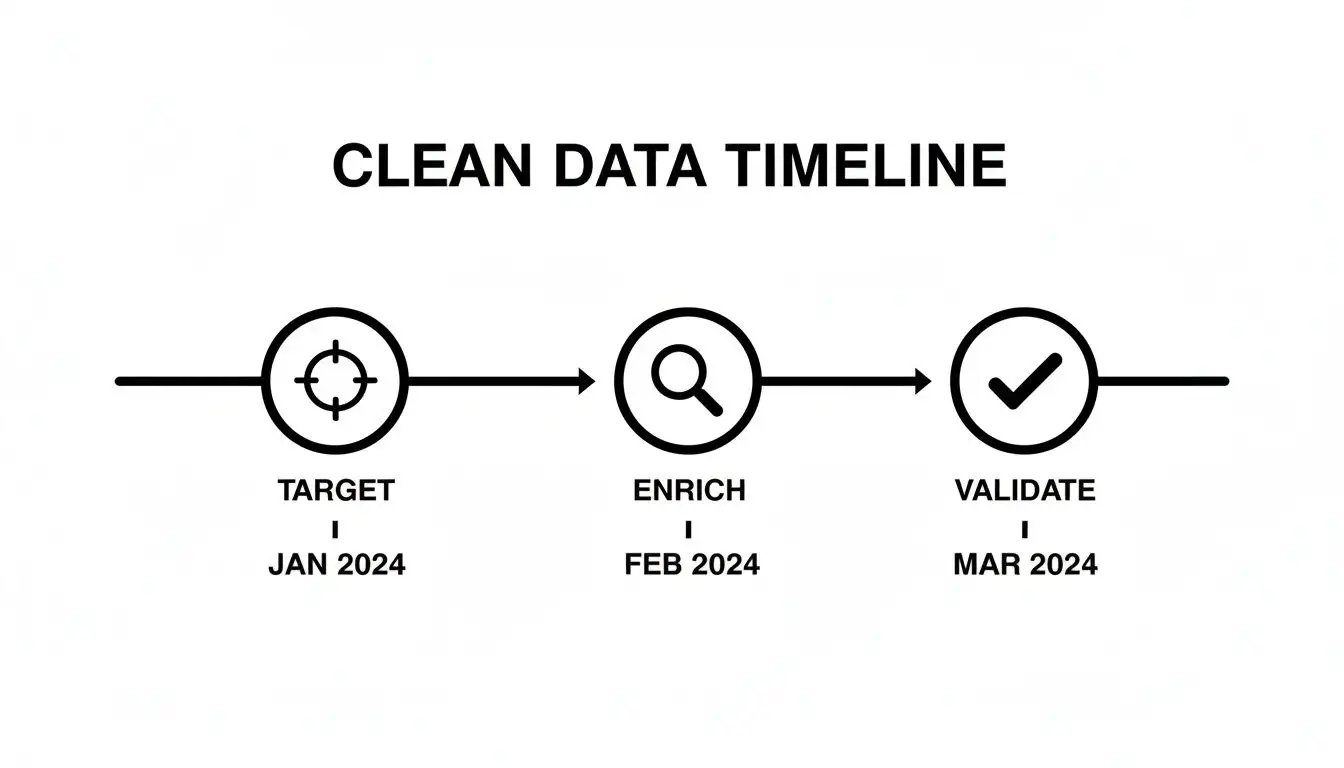
This process ensures that when you get to this point, you're not just spraying and praying; you're working with a hit list of high-quality, validated contacts.
The Psychology of a Great First Touch
Your opening move sets the tone for everything that follows. The single biggest mistake I see reps make is going straight for the jugular with a meeting request. It’s the sales equivalent of asking for marriage on a first date. It’s weird, and it’s way too much, way too soon.
Instead, your first touchpoint should be a gift, not an ask. It needs to provide immediate, undeniable value.
For example, instead of the tired, "I'd love to show you a demo," try flipping the script:
"Saw your company just hired a new VP of Sales and is expanding the team. I put together a quick, one-page brief on how similar SaaS companies are structuring their SDR comp plans to reduce ramp time. No strings attached, thought it might be useful."
See the difference? The first is all about you. The second is all about them. It instantly positions you as a helpful expert, not just another salesperson with their hand out.
Mixing Channels for Maximum Impact
Relying only on email is like trying to win a battle with just one type of soldier. You need a combined-arms approach. A solid multi-channel sequence uses email for the heavy lifting and value-adds, while LinkedIn brings in a more personal, social touch.
A LinkedIn interaction shouldn't feel like a creepy bot slid into their DMs. It should feel like a genuine, professional gesture.
-
View Their Profile: This simple, passive action pops up in their notifications. It's a soft touch that puts your name on their radar before an email even lands. It’s the digital equivalent of making eye contact across the room.
-
Send a Connection Request (With a Note!): I can't stress this enough: never, ever send a blank connection request. Your note should be short and contextual. Reference a shared connection, a piece of content they posted, or the trigger event you found.
-
Engage With Their Content: Did they share an interesting article? Don't just "like" it; leave a thoughtful comment. This shows you're actually paying attention to what they care about, not just waiting for your turn to speak.
Sample 14-Day Outreach Sequence Blueprint
Seeing the whole flow mapped out can be a game-changer. This isn't a rigid, one-size-fits-all template, but it’s a solid blueprint you can adapt. The rhythm and spacing of these steps are key to creating a workflow that feels natural, not robotic. For a deeper dive into the timing and cadence of your outreach, exploring sales cadence best practices is well worth your time.
Here's a sample of what a 14-day multi-channel workflow could look like:
| Day | Channel | Action | Goal |
|---|---|---|---|
| 1 | Send a high-value, personalized email based on a trigger event. No meeting ask. | Provide value and establish credibility. | |
| 1 | View their profile. | Create initial awareness (the "who's this?" effect). | |
| 3 | Send a connection request with a personalized note referencing your email. | Open a second channel for communication. | |
| 5 | Follow up with a short email referencing a case study relevant to their pain point. | Build social proof and demonstrate results. | |
| 7 | Like or comment on a recent post they've shared. | Maintain visibility in a low-pressure way. | |
| 10 | Send a "pattern interrupt" email. This could be a short video, a surprising statistic, or a direct question. | Break through the noise and re-engage their attention. | |
| 12 | Phone | Placeholder for a potential cold call (if you have a direct dial). | Add a human touch and attempt a live conversation. |
| 14 | The "breakup" email. Politely close the loop, assuming the timing isn't right, and leave the door open. | End the sequence professionally and gauge final interest. |
This kind of structure gives you multiple chances to connect without ever becoming a pest. Each step logically builds on the last, creating a narrative that is helpful, relevant, and human. By the end, even if they don't buy, they'll respect the hustle.
Alright, you've done the hard work. Your workflow is built, the sequence is written, and your contact list is looking sharp. Time to hit the launch button.
This part always feels a little like that moment in Jurassic Park before they flip the switches on the park fences. What could possibly go wrong?
Don't sweat it. We’re not about to unleash digital velociraptors on your unsuspecting prospects. This is about a controlled launch followed by obsessive measurement. We're about to move from theory to reality and gather the intel needed to turn a good workflow into a truly unstoppable one.
Beyond Vanity Metrics: What Actually Matters
First things first, let's agree to ignore the metrics that make you feel good but don't actually pay the bills. I'm looking at you, open rates. In a world of email pre-fetching and privacy changes, open rates are about as reliable as a weather forecast from an over-caffeinated groundhog.
Instead, we need to zero in on the numbers that signal real engagement and intent. These are the metrics that tell you if your workflow is actually sparking conversations and creating opportunities.
-
Positive Reply Rate: This is your holy grail. It measures how many people are actually responding with genuine interest, not just a terse "unsubscribe." A high positive reply rate is the clearest sign that your message is hitting the mark.
-
Meetings Booked: For most outbound campaigns, this is the ultimate prize. It’s a direct measure of how many qualified prospects are raising their hands to talk to you.
-
Conversion Rate to Pipeline: Of those booked meetings, how many evolved into legitimate, qualified sales opportunities? This metric is crucial because it ties your outbound effort directly to revenue.
Tracking these numbers gives you a brutally honest picture of performance. It’s also a smart move to see how your outreach is affecting your website traffic. You can get a much clearer view on this by learning how to track website visitors who click through from your campaigns.
The Art of the A/B Test
Now that you know what to measure, it’s time to start making it better. This is where A/B testing comes in, and trust me, it’s not as scary as it sounds.
Think of yourself as a DJ. You don't just throw on a random playlist and hope for the best, right? You play a track, watch the crowd, and if nobody's dancing, you mix in a new beat. A/B testing is how you find the beat that gets your prospects moving.
The absolute golden rule of A/B testing is to isolate your variable. If you test a new subject line, a different call-to-action, and a revamped email body all at once, you'll have no earthly idea what actually caused the change in results. It’s just chaos. To get clean, actionable data, you have to test one thing at a time.
A/B testing is the difference between guessing and knowing. It systematically eliminates what doesn't work and helps you double down on what does, turning your workflow into a finely tuned meeting-generating machine.
A Simple Framework for Effective A/B Testing
Ready to start experimenting? Here’s a dead-simple framework to run tests that will actually move the needle on your results.
-
Form a Hypothesis: Start with an educated guess. For example, "I bet a subject line phrased as a question will get a higher reply rate than one that makes a statement."
-
Create Your Control and Variation: Your "Control" (Version A) is simply your current best-performing element. Your "Variation" (Version B) is the new thing you're pitting against it.
-
Ensure a Large Enough Sample Size: Don't even think about A/B testing with a list of 20 people. To get statistically significant results, you really need to send each version to at least a few hundred prospects.
-
Run the Test and Measure: Launch the campaign and let it do its thing. Keep a close eye on your key metrics (especially that positive reply rate) for both versions.
-
Declare a Winner and Iterate: Once you have a clear winner, it becomes your new control. Then, you pick a new variable to test and you start the whole process over again.
This cycle of continuous improvement is critical, especially when you look at the bigger picture. The workflow automation market is projected to hit USD 23.77 billion in 2025 and swell to USD 37.45 billion by 2030. With over a third of organizations already automating at least one workflow, the pressure to optimize is only getting more intense. You can dive deeper into these trends and the future of workflow automation to see where the industry is headed.
By constantly testing and refining, you aren't just creating a workflow. You're building a system that learns, adapts, and gets smarter with every single email you send.
Your Burning Workflow Questions, Answered
Alright, we've covered the A-to-Z of building outbound workflows that actually work. But even with the best blueprint, a few questions always seem to pop up once you start laying the bricks. Let's get them out of the way.
Think of this as the post-game Q&A where we tackle the stuff that keeps you up at night. No fluff, just straight answers from the trenches.
How Long Should a Sales Sequence Actually Be?
This is the million-dollar question, isn't it? The honest-to-goodness answer is: it depends. But you need a place to start, so here's a solid rule of thumb.
Aim for a sequence that runs for about 2 to 4 weeks and packs in 8 to 12 touchpoints. That’s your sweet spot. This isn't just a bunch of emails, either; you need to mix it up with LinkedIn messages, connection requests, and maybe even a good old-fashioned phone call.
Go any shorter, and you're just a blip on their radar, easily ignored. Go any longer, and you start to feel like that person at the party who just won't leave. The trick is to begin with a baseline (like our 14-day example) and watch your engagement data like a hawk. If replies drop off a cliff after day 10, guess what? Your prospects are telling you it's time to shorten the sequence.
What Are the Classic Workflow Fails I Should Avoid?
I’ve seen some real horror shows over the years. Campaigns that were doomed from the start. If you can sidestep these common blunders, you're already way ahead of the curve.
-
Bad Targeting & Dirty Data: This is the original sin of outbound. Kicking off a workflow with a vague ICP and an unverified list is like trying to find a specific person in a crowded stadium while blindfolded. It's a one-way ticket to high bounce rates and a permanent home in the spam folder.
-
Generic, "Me-Me-Me" Messaging: Your email lands, and it screams, "I am a template!" You've lost. If your message just drones on about your awesome features without connecting to a real problem the prospect is facing, it's getting deleted before they finish the first sentence.
-
Pretending
{{first_name}}Is Personalization: Look, just dropping in a first name and company name isn't impressive anymore. That's table stakes. Real personalization shows you did your homework: mentioning a recent company announcement, a post they shared on LinkedIn, or a new hire they just made. That’s what gets a "Wow, they actually get it" reaction.
Should I Just Let AI Write All My Emails?
You can, but tread very, very carefully. Think of AI as your brilliant, lightning-fast junior copywriter who has absolutely zero real-world sales experience.
AI tools are incredible for smashing through writer's block. They can spit out five different subject line ideas in seconds or give you a solid first draft to work with.
Never, ever just copy-paste what an AI gives you and drop it into your sequence. It’s a fantastic tool for getting you 80% of the way there, but the last 20% is all you. That’s your human insight, your personality, and the genuine personalization that actually sparks a conversation.
Let the AI build the frame of the car. You're the one who needs to put in the engine, tune it up, and give it a killer paint job.
How Do I Actually Measure the ROI of My Workflow?
This is what separates the pros from the hobbyists. If you can't prove your workflow is making money, it's just a fun little project. To do it right, you need to be methodical.
-
Tally Up Your Costs: Add up every penny. That means the monthly fees for your automation software, any data enrichment tools, and the cost of your team's time spent building and managing everything.
-
Track the Results That Matter: Forget vanity metrics. Focus on your positive reply rate, the number of qualified meetings booked, and the holy grail: the total dollar value of closed-won deals that came from that specific workflow.
-
Do the Simple Math: The classic ROI formula never fails: (Revenue Generated - Cost of Workflow) / Cost of Workflow.
This gives you a dead-simple, data-backed answer to the big boss's favorite question: "So, is this thing actually working?"
Ready to stop guessing and start building workflows that consistently fill your calendar? Munch unifies lead discovery, data enrichment, and AI-powered personalization into one seamless platform, so you can focus on what you do best—selling.