How to Find Connections on LinkedIn and Actually Grow Your Network

By Mriganka Bhuyan
•Founder at Munch
Knowing how to find connections on LinkedIn isn't just a tech skill; it's the art of building a professional war chest. It’s about moving past the spray and pray approach of adding anyone and everyone, and instead, intentionally curating a network of people who actually matter to your goals. This is the secret sauce that turns a cluttered contact list into a powerful, career building asset.
Why Your LinkedIn Network is Your Professional Superpower

Your LinkedIn network isn't a trophy case. It’s the launchpad for your next big thing, whether that’s landing a whale of a client, nabbing that dream job, or forging a partnership that changes the game. In today's world, getting this right is non-negotiable.
So, ditch the old, stuffy idea of "networking." Think of it more like assembling your own personal dream team. Every single connection is a potential ally, a source of insider knowledge, or a door to an opportunity you didn't even know existed. When you finally crack the code of finding the right people, you build a network that’s out there working for you, 24/7.
The Mind-Boggling Scale of Opportunity
So why all the fuss about LinkedIn? Simple: sheer, unadulterated scale. The exact people you need to connect with are almost certainly on the platform. You just have to know the secret handshake to find them. The massive number of users means the odds are ever in your favor that the decision maker you’ve been hunting for is just a few clicks away.
LinkedIn has blown past the 1 billion member mark, with a footprint in over 200 countries and regions. This isn't just a social network; it's a global directory for professional discovery.
The platform's user base tells a story of global dominance. With the United States and India making up roughly 35–40% of all members, these markets are incredibly fertile ground for prospecting. If you want to geek out on the numbers, this statistical report from Buffer breaks down just how massive its user base has become. This scale is the foundation for all the best lead generation examples you'll ever see.
From Digital Rolodex to Active Pipeline
A passive network is just a list of names, a digital Rolodex collecting dust. An active network, on the other hand, is a living, breathing thing. It sends opportunities your way and creates warm pathways for your outreach. Making that switch requires a plan.
-
Nail Down Your "Who": Who, exactly, are you trying to reach? Get ridiculously specific. Don't just say "sales managers." Say "Sales Managers with 3 to 5 years of experience at SaaS companies with 50 to 200 employees based in the Midwest."
-
Quality Trumps Quantity, Always: I'd take a tight-knit network of 100 highly relevant, engaged connections over 1,000 random contacts who scroll past my content any day of the week.
-
Give Before You Get: This is the golden rule. Before you ever think about asking for something, figure out what you can offer. For example, if you see a connection asking for recommendations for a good CRM, and you've had a great experience with one, share your thoughts in a helpful comment.
Building a truly powerful network is a marathon, not a sprint. The methods we’re about to dive into will give you the roadmap to find the right people and start turning those cold pings into genuinely warm conversations.
Mastering LinkedIn Search for Precision Prospecting
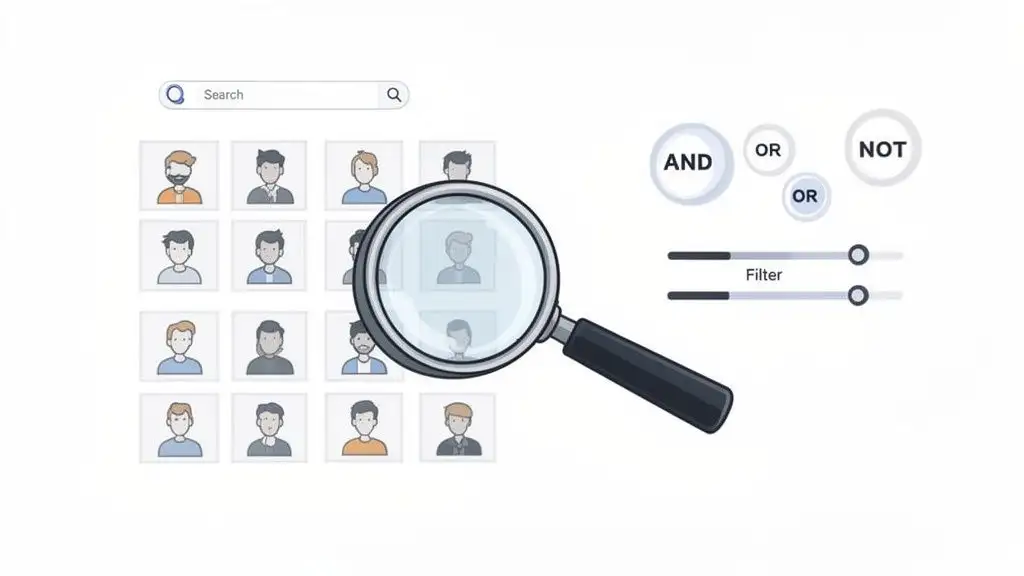
Alright, let's get real. If your idea of LinkedIn prospecting is just typing a job title into the search bar and hoping for the best, you’re basically yelling into a crowded stadium and expecting the one person you need to turn around. It's time to stop shouting and start searching with the precision of a surgeon.
The standard LinkedIn search bar is way more powerful than most people give it credit for, but its real magic is hidden behind the “All filters” button. Ignoring this is a rookie mistake. This is your command center for shrinking that massive universe of prospects from millions down to a curated, high-quality list. For an even deeper dive, our guide on how to search for employees on LinkedIn has some great pointers.
Think about it this way: what if you want to find fellow alumni who now work at one of your dream accounts? Instead of endless, soul crushing scrolling, you can simply filter by your university and their current company. Boom. Instant list of people you already share a genuine connection with.
Your Secret Weapon: Boolean Search
Ready to feel like you're in The Matrix, bending the digital world to your will? Say hello to Boolean search. It sounds complicated, but it's just a slick way to combine keywords using a few special commands to get ridiculously specific results.
Think of these commands as your personal cheat codes for the LinkedIn search engine.
-
AND: This is your focus tool. It narrows your search by demanding that all your keywords appear in the results. For example,
Sales AND Managerwill only pull up profiles that have both of those words. -
OR: This is for casting a wider net. It finds profiles that contain either term, which is perfect for roles with similar but different titles, like
“VP of Sales” OR “Sales Director”. -
NOT: This is your bouncer. It kicks out terms you don't want, cleaning up your list. Searching for
Developer NOT Internhelps you sidestep junior-level folks to get straight to the experienced pros. -
Quotes (" "): Use these to lock in an exact phrase.
"Head of Product"ensures you aren't getting results for someone who is the "head" of something random or just has the word "product" floating around their profile.
Combining these is where the real power lies.
Pro Tip: Treat your OR statements like a math equation and group them in parentheses.
("Marketing Director" OR "VP of Marketing") AND SaaStells LinkedIn to first find people with either of those marketing titles, and then make sure they also work in the SaaS industry. It keeps your logic clean and your results sharp.
I’ve put together a little cheat sheet to help you master these operators. Keep it handy!
LinkedIn Boolean Search Cheat Sheet
| Operator | Function | Example Search String |
|---|---|---|
| AND | Narrows search; finds profiles containing all terms. | Marketing AND Manager AND SaaS |
| OR | Broadens search; finds profiles containing either term. | CEO OR Founder OR President |
| NOT | Excludes terms; removes profiles containing the term. | Software Engineer NOT Intern |
| "Quotes" | Searches for an exact phrase. | "Chief Technology Officer" |
| (Parentheses) | Groups terms to create complex searches. | ("Sales Manager" OR "Account Executive") AND "B2B" |
With these commands, you're no longer just searching; you're building a highly targeted list of your ideal future customers.
Automate Your Prospecting with Saved Searches
Finding the perfect, complex search query is a fantastic feeling. Running it manually every single day? Not so much. That's a one way ticket to burnout.
This is where saved searches come in to save the day. Once you’ve crafted a search that gives you gold, you can save it and have LinkedIn email you weekly or even daily alerts when new people match your criteria.
This one simple feature transforms LinkedIn from a manual tool into an automated prospecting machine. It works for you even when you're offline, delivering a fresh list of qualified leads straight to your inbox. You’ll be the first to know when a key decision-maker starts at a target account, giving you a massive head start on everyone else.
Pro Tip: You can simply use Munch to build your prospect list by using various filters across categories instantly!
Unlocking Sales Navigator for Next-Level Connections
Think of the standard LinkedIn search as a trusty flashlight. It gets the job done. But Sales Navigator? That’s a pair of military grade night vision goggles.
Yes, it’s a paid tool. But for anyone serious about B2B prospecting, it transforms LinkedIn from a social network into a precision-guided targeting system. You stop guessing and start knowing.
It’s like going from playing Street Fighter II at the local arcade to owning the whole console at home. Suddenly, you have a whole new set of moves. The most powerful of these? The advanced Lead Filters. They let you get ridiculously specific.
Go Deeper with Advanced Lead Filters
Sales Navigator lets you pinpoint prospects with a level of detail the free version can't even dream of. These filters are your ticket to finding highly qualified leads who are genuinely ready to hear from you.
Here are a few of my absolute favorite, game changing filters you can start using right away:
-
Years in current position: This one is pure gold. Try searching for leaders with "less than 1 year" in their current role. You’ll find newly appointed execs who are chomping at the bit to make their mark. They’re often way more open to new tools, vendors, and ideas that can help them score quick wins.
-
Posted content about: This is your secret weapon for finding truly warm leads. You can search for people who have recently posted using keywords relevant to your world, like "supply chain automation" or "AI content creation." They're literally broadcasting the problem you solve.
-
Company headcount growth: Want to target companies on a serious growth spurt? This filter shows you prospects at organizations that are expanding fast. Rapid expansion almost always signals a growing budget and an urgent need for new solutions to support that scale.
A common mistake I see is people treating Sales Nav like a slightly better version of the free search. It's not. Think of it as a separate intelligence tool. The goal isn't just to find people; it's to find people at the exact right moment in their journey.
This is what separates casual browsing from strategic B2B prospecting. With 40% of users on LinkedIn every single day, the platform is noisy. These filters help you cut through that noise and find the real signals. You can dig into more of these powerful LinkedIn marketing stats on Brentonway.com.
Build Strategic Lists and Find Warm Intros
Finding the right people is only half the battle. Sales Navigator also gives you the tools to organize and engage them like a pro.
You can create Lead Lists and Account Lists to segment your outreach and keep everything tidy. For instance, you could build a dedicated list for "VPs of Engineering at Series B Fintech companies in California" and another for "Marketing Directors at SaaS companies in the UK."
These lists also integrate beautifully with many of the best AI sales tools, allowing you to build out automated, yet deeply personalized, outreach sequences.
Finding Connections Beyond the Search Bar
Relying on the search bar alone is like only fishing in one corner of a massive lake. You'll catch something, sure, but the real trophy fish? They're often hiding elsewhere, gathered in little coves where your ideal prospects are already talking, sharing, and complaining about the exact problems you can solve.
Let's go find those hidden fishing holes. These digital communities on LinkedIn are absolute gems, offering a much warmer path to connection than any cold search ever could. You're not interrupting someone's day; you're joining a conversation that's already happening.
Dive into LinkedIn Groups
Think of LinkedIn Groups as industry specific mini conferences, but without the terrible coffee and awkward name tags. These are focused forums where professionals with common interests gather to chew the fat on trends, ask tough questions, and actually build relationships. The trick isn't just joining groups; it's joining the right ones.
Hunt for groups that are:
-
Active: A group with thousands of members but no posts in the last month is a ghost town. You want to see consistent, daily, or at least weekly discussions.
-
High-Quality: Is the feed full of insightful conversations or just a wall of spammy self promotion? The difference is obvious, and you want the former.
-
Relevant: This is key. If you sell to fintech, a group like "Chief Financial Officers in Tech" is a home run. Find where your Ideal Customer Profile (ICP) hangs out.
Once you’re in, for the love of all that is good, don't just start pitching. That's the equivalent of being the person at a party who only talks about their job. Instead, add real value. Answer a question, share a genuinely helpful article, or offer a unique perspective on a discussion. People notice contributors, and a connection request that comes after a helpful comment is 10x more likely to be accepted.
Your goal in a LinkedIn Group isn't to sell; it's to become a trusted voice. When you consistently provide value, people will start seeking you out, flipping the entire outreach dynamic on its head.
Leverage Company and Alumni Pages
Company Pages are so much more than just digital storefronts. They are intelligence hubs. When you follow your target accounts, you get a live feed of their latest news, product launches, and, ding, ding, ding, new hires. A funding announcement isn't just news; it's a massive buying signal and the perfect trigger for a timely, personalized message.
And don't sleep on your university's Alumni page. This is a goldmine, and it’s one of the most overlooked sources for warm connections. You instantly share a common bond with every single person on that list. Running a search for "people who work at [Target Company]" within your alumni network gives you an instant list of warm leads.
An opening line like, "Hey, I saw we both survived Professor Smith's accounting class at State U..." is infinitely more human and memorable than any generic sales template could ever be. It’s networking with a built in inside joke. After you find these prime connections, you'll need their contact info. Our guide on how to find business emails can help you complete the puzzle.
Crafting Outreach That Actually Gets a Reply
Alright, you've done the legwork. You've sliced and diced your search results, found the perfect person, and now you’re staring at that little blue “Connect” button, heart pounding just a little. So, what’s the play?
If your first instinct is to fire off that generic, pre-written “I’d like to add you to my professional network” message, please, for the love of all that is good, stop. That’s the professional equivalent of a limp handshake. It’s lazy, instantly forgettable, and does absolutely nothing to start a real conversation.
Let’s talk about how to master the warm introduction and write a connection request that doesn't immediately get sent to the digital trash can.
The Power of the Mutual Connection
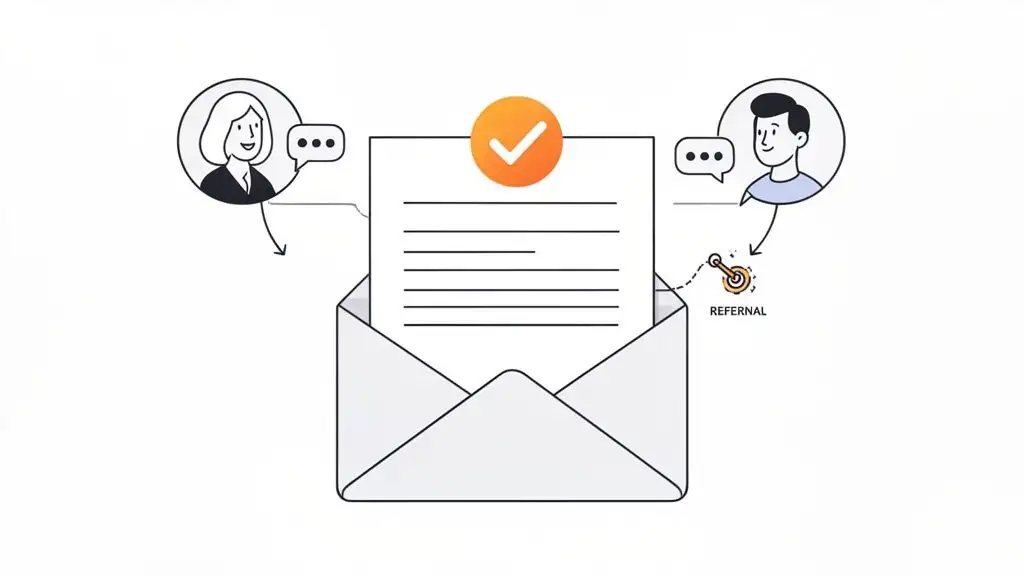
The absolute best, warmest, and most effective path to a new connection is through someone you both know. It's the difference between walking up to a stranger at a party and having a friend introduce you. A referral from a trusted source instantly lends you some of their credibility.
But let's be real, asking for an intro can feel awkward. You don't want to come off as a user. The trick is to make it ridiculously easy for your contact to say "yes" by doing all the heavy lifting for them.
Never, ever just ask, "Hey, can you introduce me to Jane?" That puts all the work on them. Instead, give them a simple, copy-and-pasteable message they can just forward along.
Here’s a practical, non-cringey template that works:
"Hey [Mutual Connection's Name], hope you're doing well. I noticed you're connected with [Target's Name], who is the [Target's Job Title] at [Target's Company]. I'm hoping to connect with them because [your genuine, one-sentence reason]. Would you be comfortable forwarding this brief message to them for me? No pressure at all if not! Thanks, [Your Name]."
This shows you respect their time and gives them a simple, one-click way to help you out. It’s a win-win.
Writing Connection Requests That Don't Suck
When you don't have that mutual friend to lean on, all the pressure falls on your 300-character connection request. This tiny piece of text has to punch way above its weight. It needs to be personal, relevant, and give them a solid reason to click “Accept.”
The golden rule here is context over content. You’re not trying to sell them anything in this message. Your only goal is to open the door for a conversation.
Here are a few ways to do that:
-
Reference their activity: "Hey Sarah, I saw your recent post on the challenges of supply chain automation and completely agree with your take on last mile delivery. Would love to connect and follow your insights."
-
Mention a shared interest or group: "Hi Mark, I noticed we're both in the 'Fintech Innovators' group. I enjoyed the article you shared yesterday on embedded finance. I’d be keen to connect."
-
Compliment their work: "Hi David, I came across your company's latest case study on [specific topic] and was really impressed. Great work. I’d like to connect and learn more."
The point is to show you’ve done a tiny bit of homework. This simple act separates you from 99% of the generic, spammy requests they ignore every single day. If you want to see what great personalization looks like in the wild, these powerful cold email example breakdowns are a goldmine.
Got Questions About Finding People on LinkedIn? We've Got Answers.
Alright, so you’ve got the game plan, the killer templates, and a solid idea of who you're looking for. But let's be real, diving into LinkedIn can sometimes feel like trying to assemble IKEA furniture in the dark. It’s a powerful tool, but it's got its quirks.
A few questions always seem to pop up when people start digging for connections. Let's tackle some of those common head-scratchers right now.
Is There a Limit to How Many Connection Requests I Can Send?
Yep, and it’s one of LinkedIn’s little mysteries. They don't broadcast the exact number, but the general consensus in the sales world is that you get capped at around 100 connection requests per week.
This isn't just LinkedIn trying to ruin your prospecting party. It's their way of keeping the platform from turning into a spam-fest. Think of it as a velvet rope: they want to make sure you're adding value, not just blasting everyone in sight.
When you hit that weekly limit, you're on a timeout until it resets. This actually reinforces a golden rule we've been talking about, since every single connection request needs to be thoughtful and personal. When you've only got a hundred bullets in your magazine, you learn to make every shot count.
Can I Get in Trouble for Sending Too Many Requests?
You bet. If you're constantly hitting that weekly limit and your acceptance rate is in the gutter, you'll likely hear from LinkedIn. This is their alarm bell, signaling that too many people are either ignoring you or, even worse, hitting that dreaded "I don't know this person" button.
Think of your acceptance rate as your social credit score on LinkedIn. If it dips too low, they might temporarily slap a restriction on your account. They could even make you enter the person's email address to connect, which is basically LinkedIn's version of detention.
So, how do you stay on their good side?
-
Personalize everything. I can't say this enough. A simple, custom note explaining why you want to connect can skyrocket your acceptance rate.
-
Clean up your old requests. Don't let unanswered invites from six months ago just sit there collecting dust. Go in every few weeks and withdraw the old ones. It keeps your pending list looking healthy.
What’s the Best Time to Send a Connection Request?
There’s no one-size-fits-all magic moment, but the data (and my own experience) points to sending requests during your prospect's workday. Think mid-morning or early afternoon on a weekday.
Whatever you do, avoid the Friday afternoon "send and pray" or a weekend blitz. Your request will just get swallowed up in the Monday morning notification avalanche, lost forever like the Ark of the Covenant in that giant warehouse. You want to pop up at the top of their list when they're actually at their desk and paying attention.
Finding the right people is just the opening act. The real magic is turning those connections into actual conversations and, eventually, deals. Munch gives you the tools to uncover prospects showing real-time buying signals, enrich their data with 95%+ accuracy, and fire off personalized outreach that people actually respond to. Stop throwing spaghetti at the wall and start connecting with people who are ready to talk. Just use Munch.